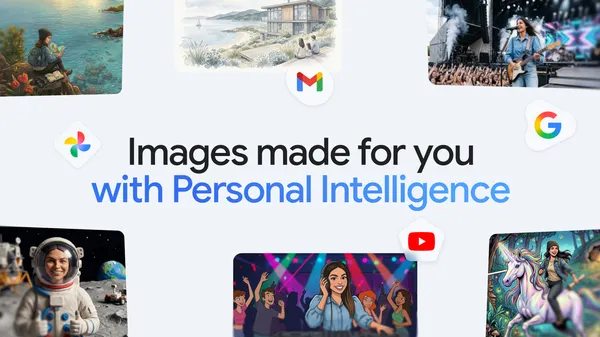

Google pushed an update to the Gemini app today that finally makes image generation feel less like a toy and more like a tool. The new nano Banana 2 model, as they’re calling it, can now pull from your personal context and Google Photos to create images that reflect your actual life.
Let me be blunt: most AI image generators are great at making generic fantasy art or stock-photo-quality scenes. But ask them to make something personal—like “my dog wearing a birthday hat” or “the view from my apartment window at sunset”—and they fall apart. They don’t know your dog, your apartment, or anything about you.
Nano Banana 2 changes that. It hooks directly into Google Photos and your broader personal context (which includes things like your saved preferences, recent searches, and other signals Google already has permission to use). The result? You can now type something like “a watercolor of my cat sitting in my favorite armchair” and get something that actually resembles your cat, in a chair that looks like yours.
I’ve been testing this for the past few days, and it’s genuinely impressive in spots. The model doesn’t just slap a random cat into a generic chair—it seems to understand the specific textures, lighting, and angles from your photos. The first time I generated an image of my own workspace with a potted plant that I actually own, I had to double-check it wasn’t just a filtered photo.
That said, there are caveats. The quality is heavily dependent on how many relevant photos you have. If you’ve only got one blurry shot of your cat, don’t expect a masterpiece. And the personal context stuff is a bit of a double-edged sword—Google’s already got plenty of data on you, and this just gives it another way to use that data. You can opt out of the Photos integration, but the model’s main selling point disappears without it.
There’s also the privacy angle. Google says all processing happens on-device for the personalization part, and images you generate aren’t used to train the model further. I’d like to believe that, but we’ve all seen how these policies can shift over time. If you’re uneasy about Google having more hooks into your personal media, this update probably isn’t for you.
Performance-wise, generation times are about what you’d expect from a mobile model—around 3-5 seconds per image on a Pixel 9 Pro. Older devices might struggle more. The output resolution maxes out at 1024×1024, which is fine for sharing on social media but won’t replace a proper camera anytime soon.
The real question is whether this is useful or just a neat demo. I think it leans toward useful, especially for things like custom birthday cards, personalized wallpapers, or quick visual ideas for projects. But it’s not going to replace dedicated photo editing tools or professional image generators. It’s a convenience feature, and a pretty good one at that.
Google’s also rolling out some prompt suggestions based on your photos, which is a nice touch. Open the image generation interface, and it might suggest “a cartoon version of your last vacation photo” or “a fantasy landscape inspired by your garden.” It’s not groundbreaking, but it lowers the barrier for people who don’t know what to ask for.
I’m still not convinced this justifies the “nano” branding—this is a fairly large model running on-device, and it shows in the storage requirements (about 2GB extra after the update). But for what it does, it’s a solid step forward. If you’re in the Gemini ecosystem and don’t mind the privacy trade-offs, give it a shot. Just don’t expect it to replace your imagination.
Comments (0)
Login Log in to comment.
Be the first to comment!